🚀 New Feature: Security Monitoring

October 1, 2026

What's New

PitCrew now watches your store after hours. When your cameras detect a person outside of operating hours, PitCrew records a security event and can alert you by email or text, so you know right away when someone is on site after close.

How It Works

  1. Open the Security Events page to review detected events.
  2. To get alerts, open Security Alerts, add an email address or phone number, and turn alerts on.
  3. Company Admins and Security Admins can turn security events on or off for each camera in Camera Settings.

Key Features

  • Security Events page: See every detected event with its status, a short description of what happened, start and end times, a photo of the person when they were first detected, and a photo from when the event was resolved.
  • Security Alerts: Get notified by email or text when a new event is detected. Set up alerts from the Security Events page or the Alerts page.
  • Camera Settings: Choose which cameras create security events. Outdoor cameras start turned off, since they tend to pick up passing cars, people and neighboring lots. You can turn them on anytime.
  • Security Admin role: Company Admins can give the Security Admin role to anyone who should be able to change camera settings. District Admins and Store Admins can view camera settings and security events.

🚀 New Feature: Drive-Off Reasons

September 2, 2026

What's New

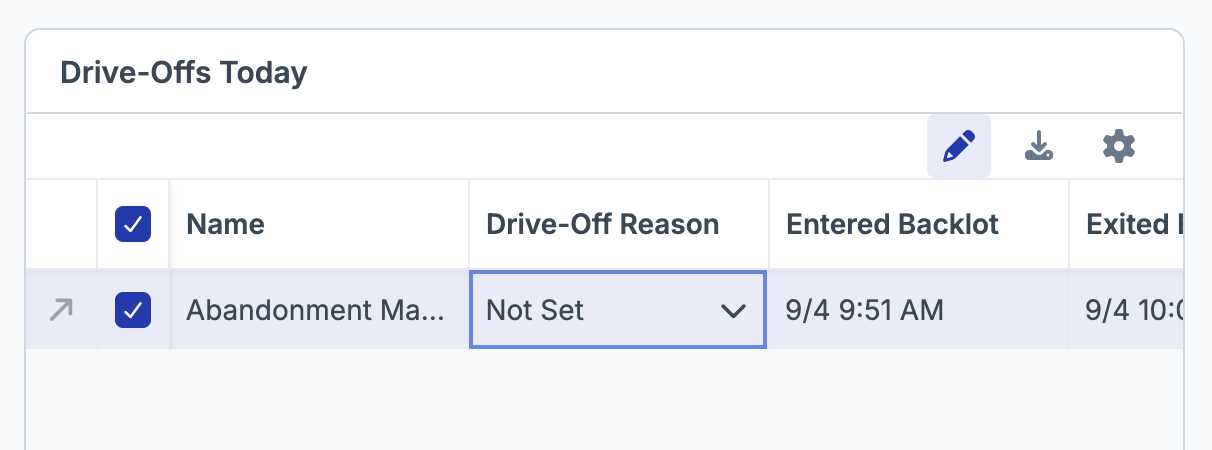
Not every drive-off is a lost customer. A delivery driver cutting through the lot, an employee repositioning a vehicle, someone pulling in to turn around — they all look like missed revenue unless a reason is added.

Now, you can add that reason. That keeps your drive-off number accurate: the count reflects the customers you actually lost, and the ones that were never customers are labeled as such instead of quietly inflating the total.
How It Works

  1. Open Live View and select the Backlot tab.
  2. Find the Drive-off in the Backlot Activity section.
  3. Select a reason for the drive-off.

🚀 New Feature: Total Visit Time

September 2, 2026

What's New

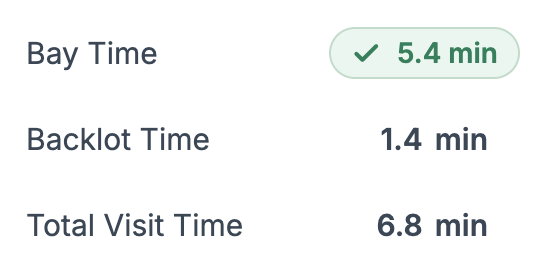
You can now see how long a vehicle was at your store from start to finish, not just how long it was in the bay. Total Visit Time is Backlot Time plus Bay Time. A store can look fast on Bay Time and still have vehicles waiting in the lot, so Total Visit Time shows you the complete picture of the customer's experience.
🚀 Update: Clearer Names Across PitCrew

September 2, 2026

What's New

Based on feedback from our users, several things in PitCrew have been renamed to match what crews actually say on the floor.

- Abandonments are now Drive-Offs.

- Duration is now Bay Time.

- The Queue is now the Backlot.

How these are measured has not changed — only what they are called.

‍
