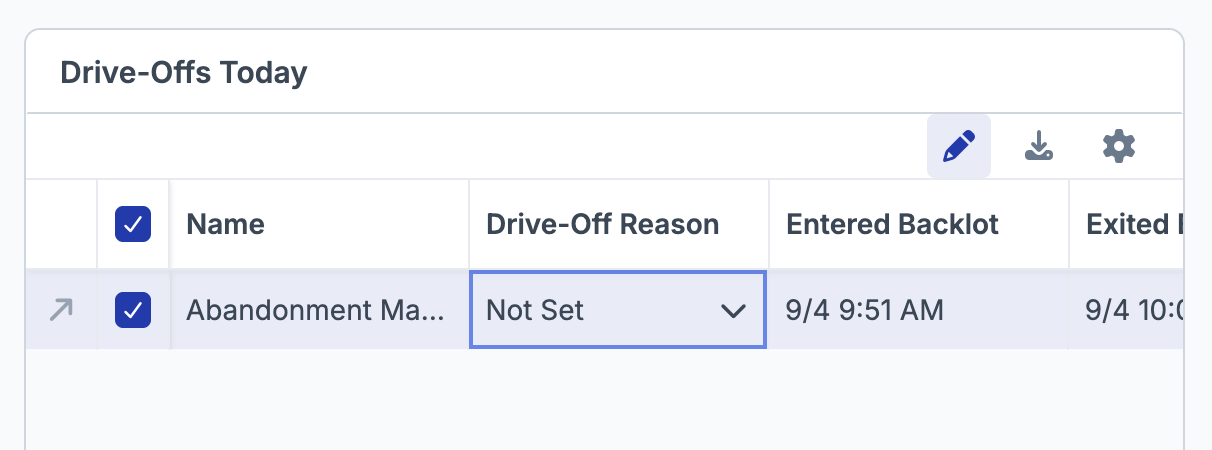
Not every drive-off is a lost customer. A delivery driver cutting through the lot, an employee repositioning a vehicle, someone pulling in to turn around — they all look like missed revenue unless a reason is added.
Now, you can add that reason. That keeps your drive-off number accurate: the count reflects the customers you actually lost, and the ones that were never customers are labeled as such instead of quietly inflating the total.
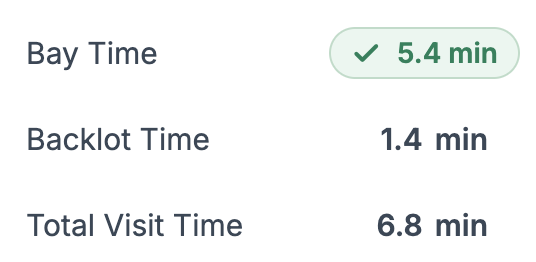
You can now see how long a vehicle was at your store from start to finish, not just how long it was in the bay. Total Visit Time is Backlot Time plus Bay Time. A store can look fast on Bay Time and still have vehicles waiting in the lot, so Total Visit Time shows you the complete picture of the customer's experience.
Based on feedback from our users, several things in PitCrew have been renamed to match what crews actually say on the floor.
- Abandonments are now Drive-Offs.
- Duration is now Bay Time.
- The Queue is now the Backlot.
How these are measured has not changed — only what they are called.
Live View has been rebuilt around how a shop floor actually runs, and split into two tabs so bay work and lot activity each get their own space.
The Service Bays tab gives you redesigned bay cards, a services table, and a new Service Activity section that breaks down your delay reasons and shows service volume and delays by hour. The Backlot tab does the same for everything happening outside the bays.
.png)

